 Aywa
Aywa Debts get lost in a notebook
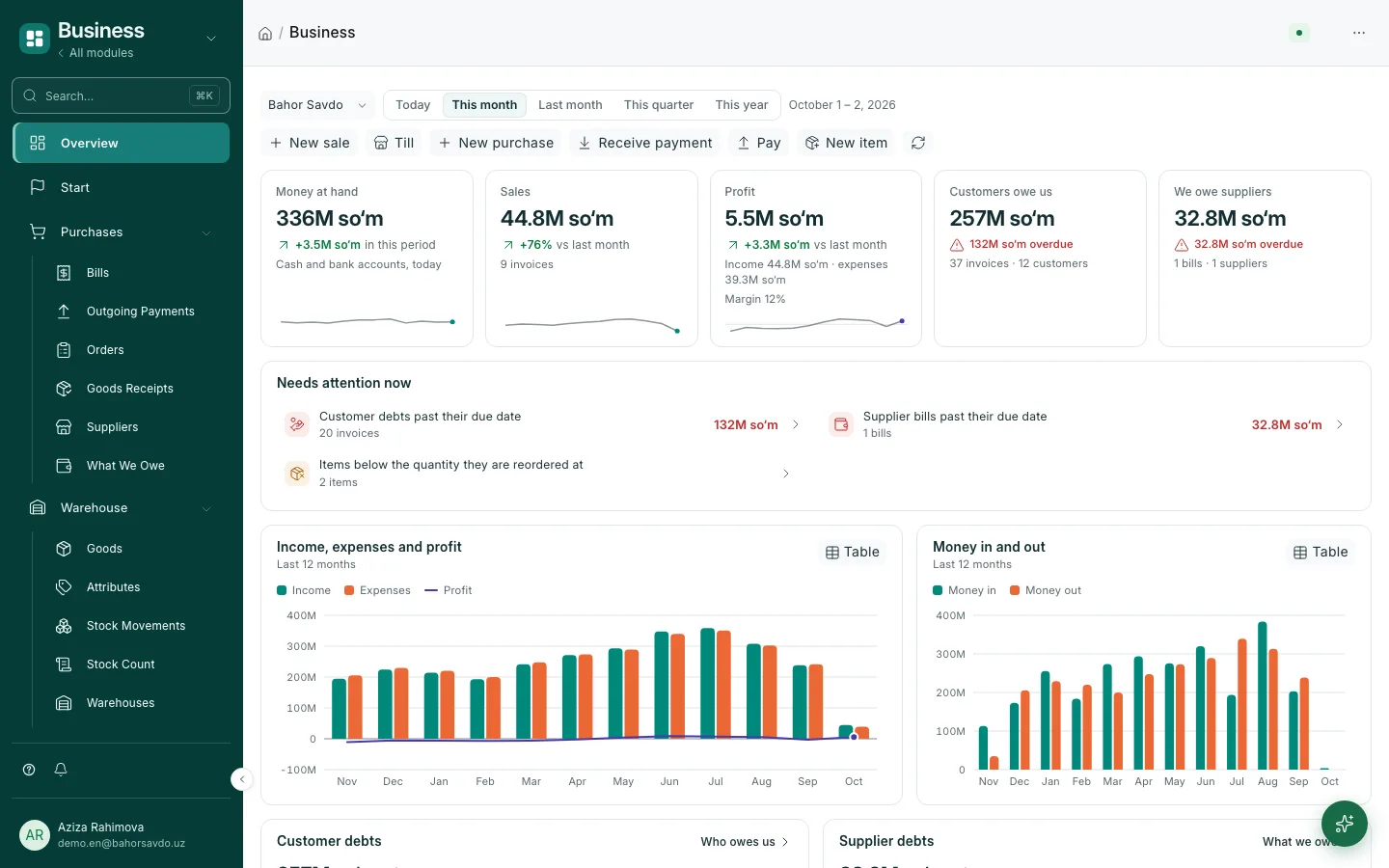
Every customer's and supplier's balance in its own currency, one-click payment and a reconciliation statement.
ERP with an AI assistant · for Uzbekistan
Sales, stock, cash and debts in one system with a built-in AI assistant. It sets the system up for you, prepares documents and asks you to approve every action.
Sound familiar?
Debts get lost in a notebook
Every customer's and supplier's balance in its own currency, one-click payment and a reconciliation statement.
The till doesn't add up at night
Every sale, expense and transfer reaches the till at once. If a day is left open, the system reminds you.
Dollars and sums get mixed up
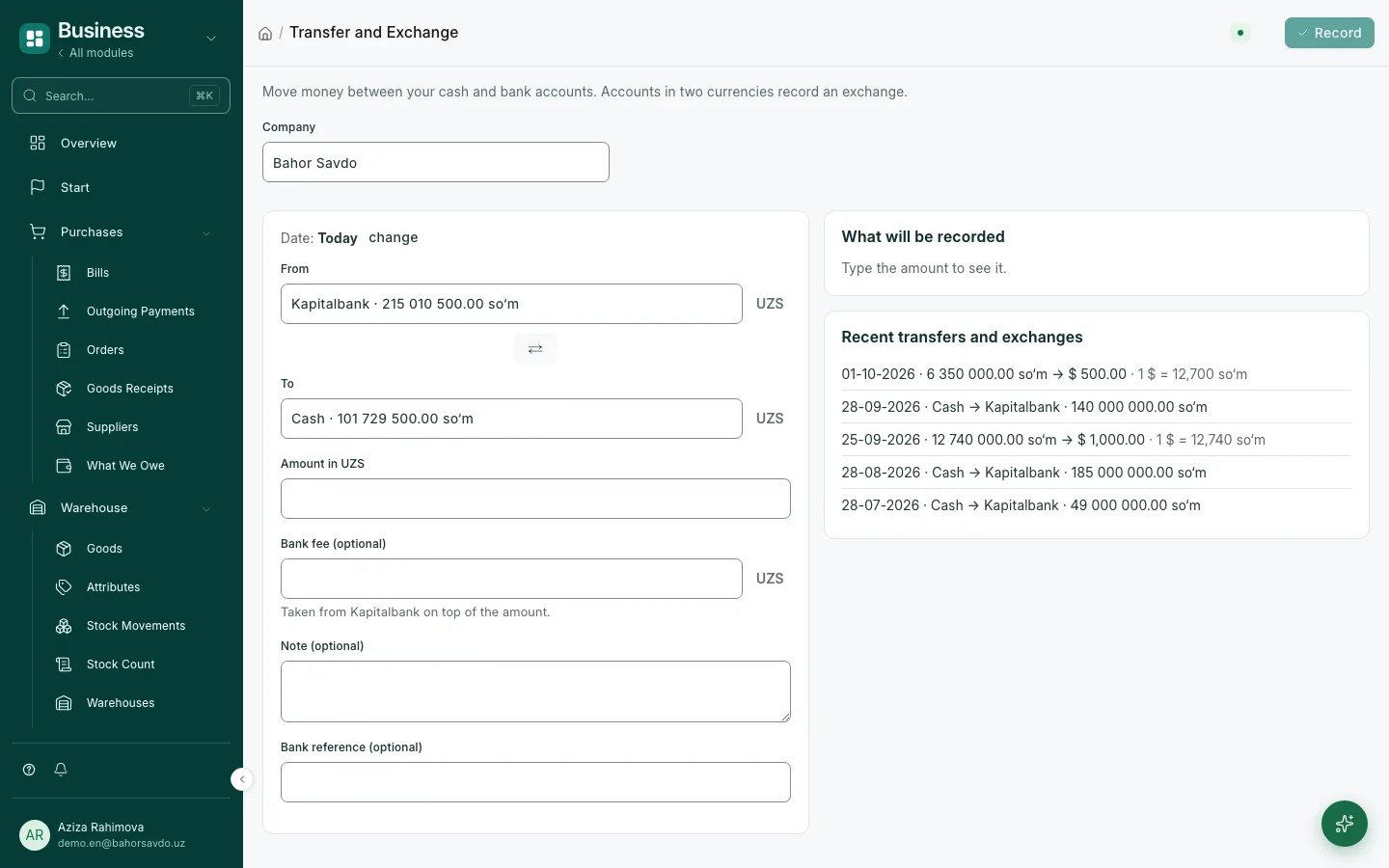
Rates come from the Central Bank; exchanges, bank fees and exchange differences are calculated automatically.
Aywa AI
Aywa AI works inside the system: you write in plain words, it prepares the document and waits for your approval. It never deletes anything, and every action stays in the history.
After you sign up, AI asks about your till, bank and opening balances. Send your old spreadsheet — it fixes mistakes, merges duplicates and imports it all with one approval.
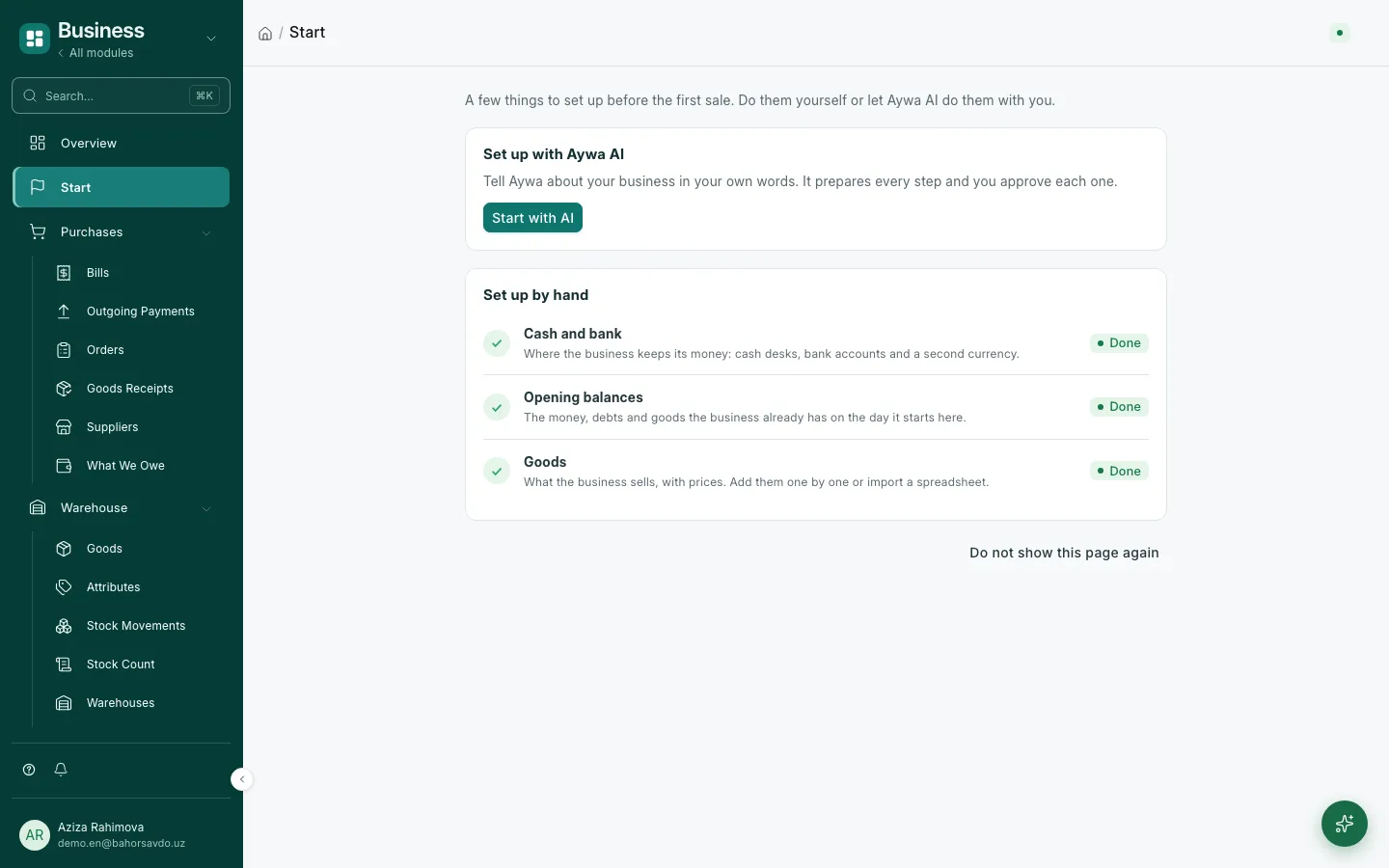
Open a till and a Kapitalbank account. 📎 customers.xlsx — import the customers and debts from it
Two accounts are ready. The file has 312 rows: 41 phone numbers put into +998 format, 6 duplicate customers merged. Check and approve.
Order, delivery, invoice, payment: AI builds the right document and suggests the next step.
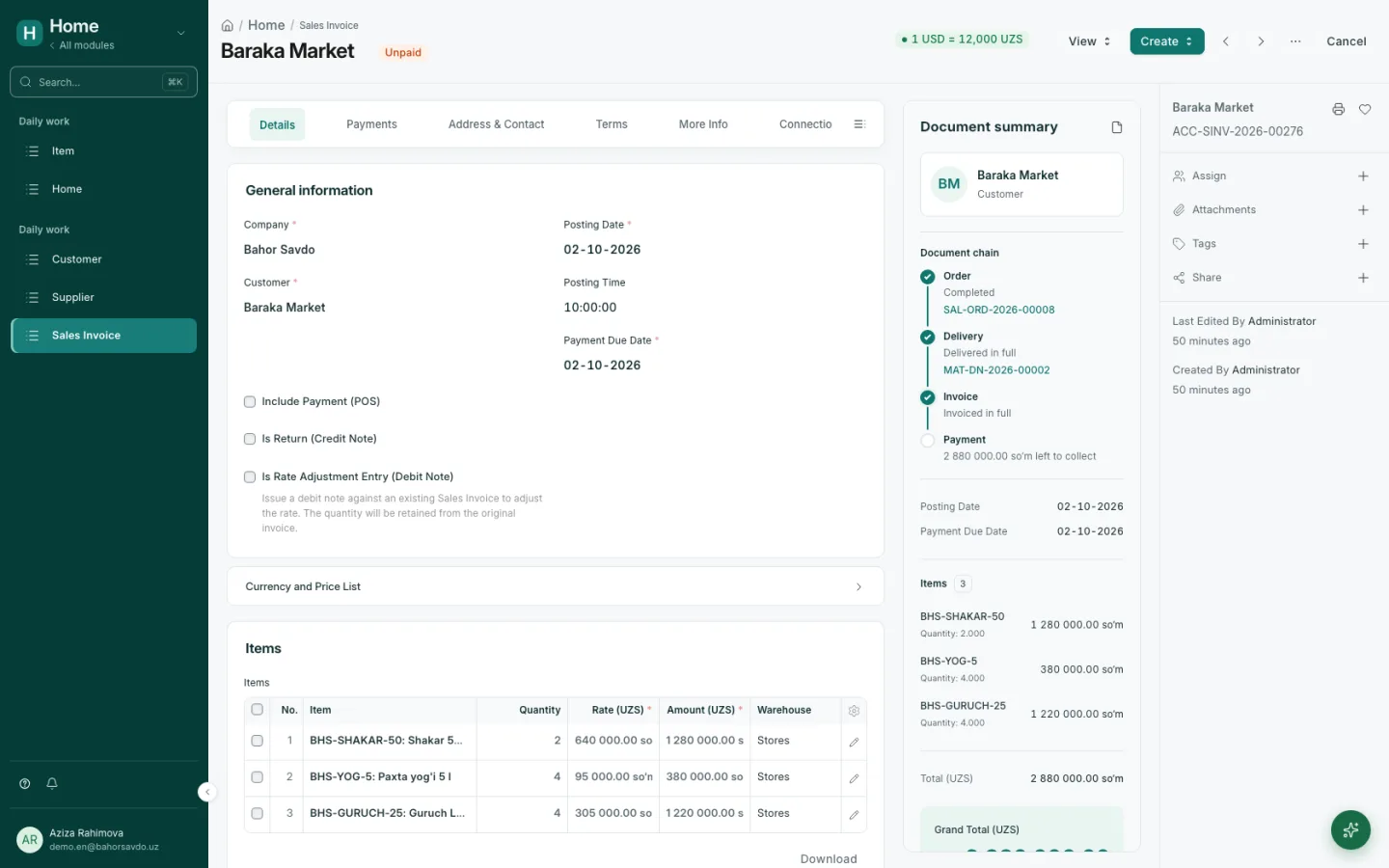
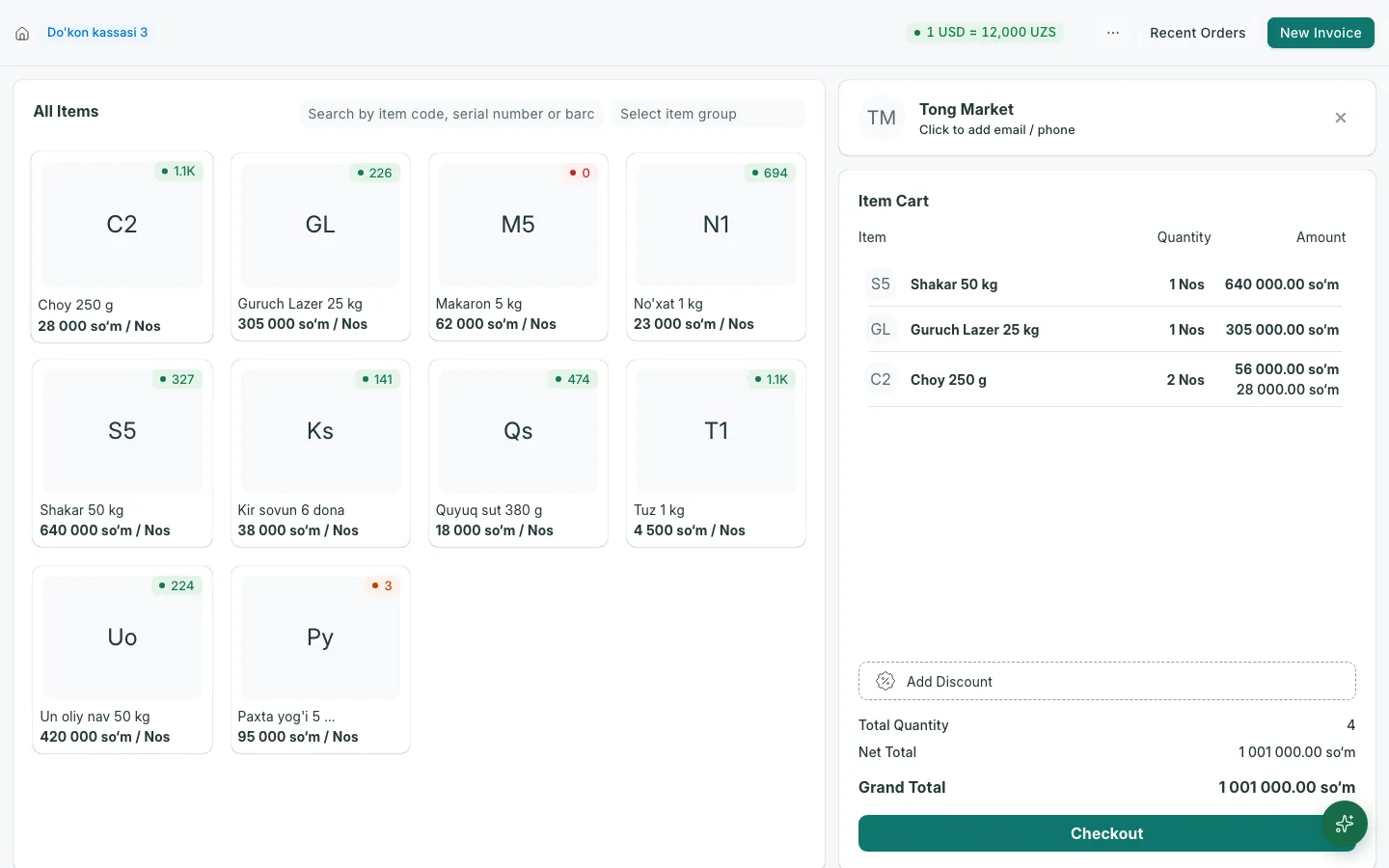
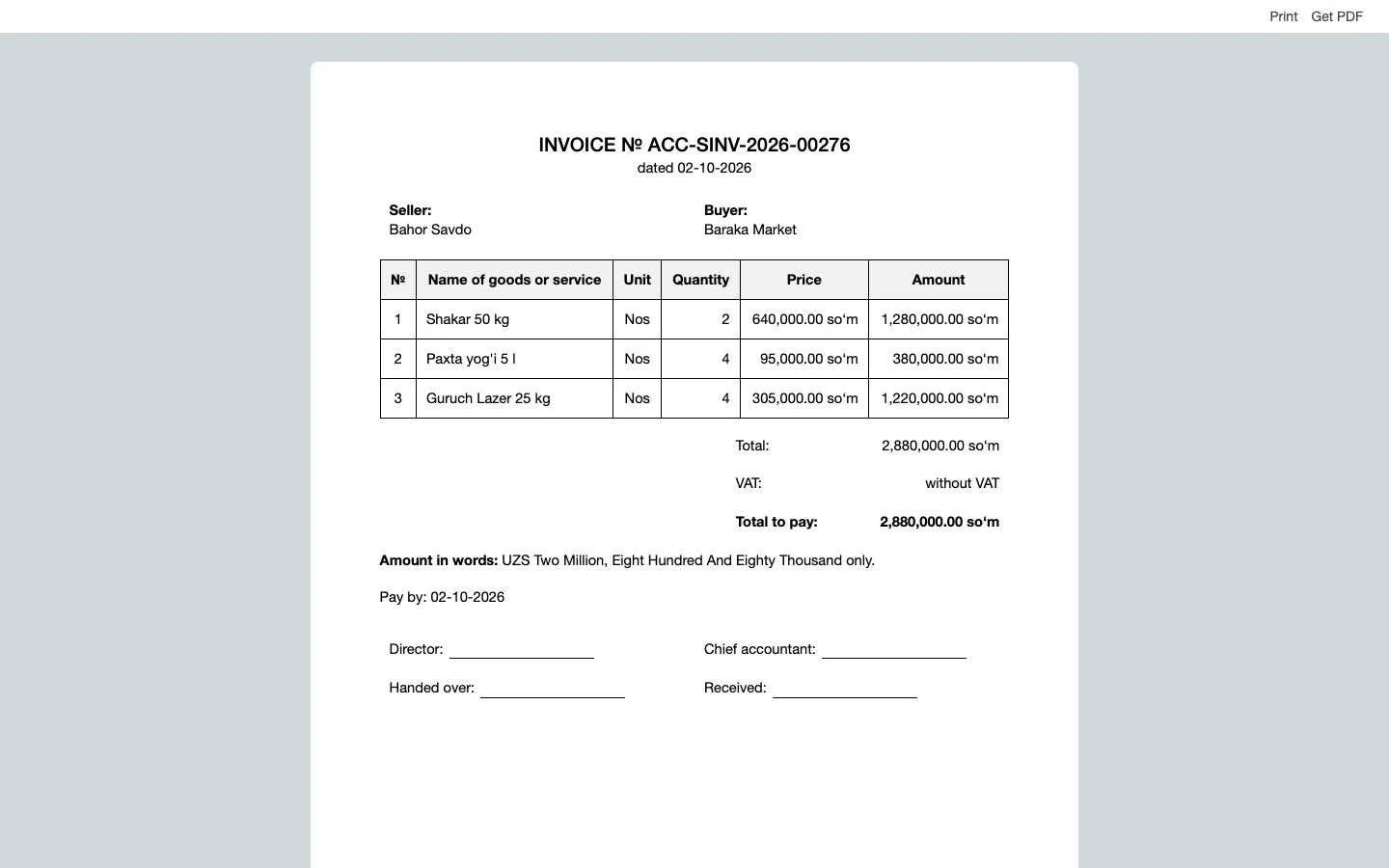
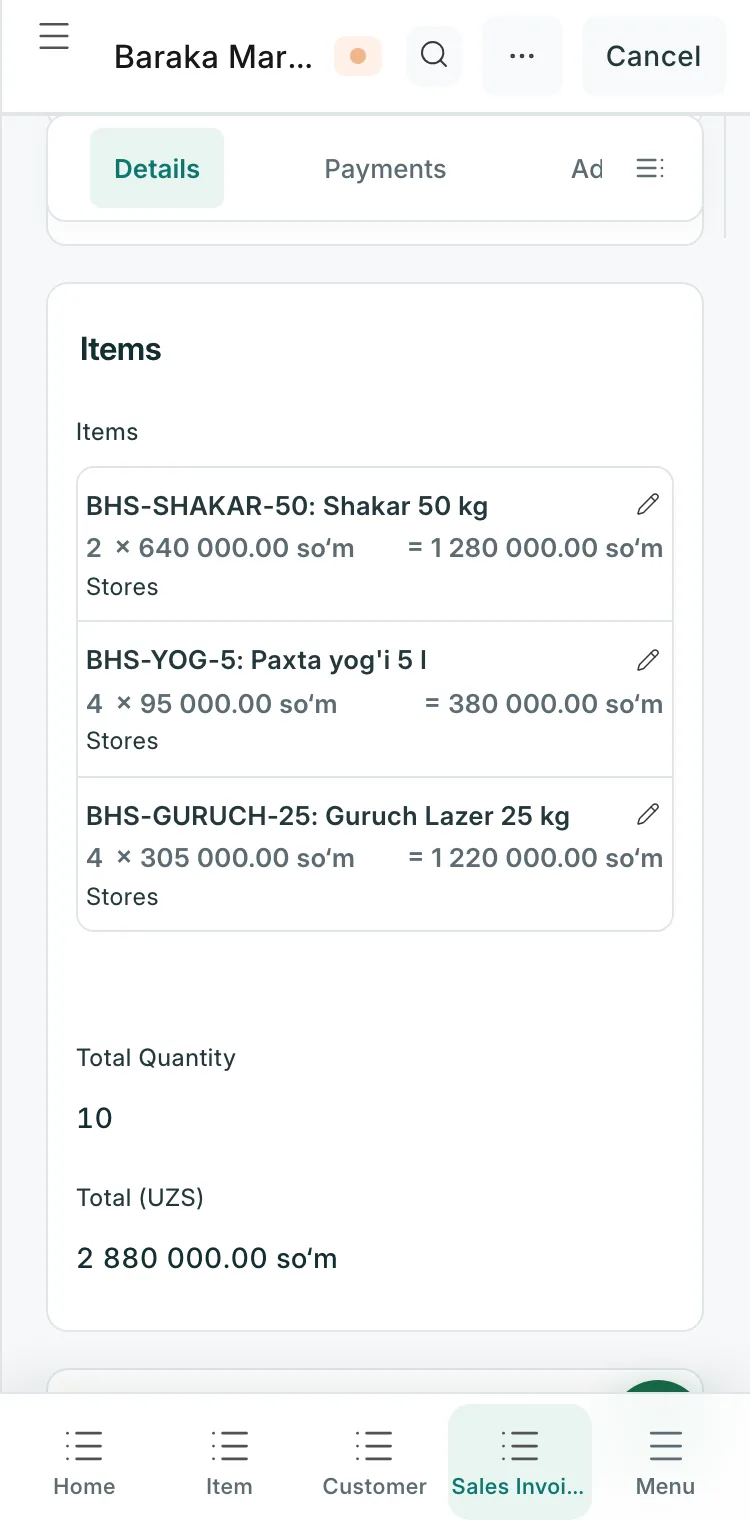
Sell Baraka Market 2 bags of sugar, 4 oil and 4 bags of rice
The invoice is ready. The stock issue is recorded too.
Snap a receipt or a supplier invoice — AI reads the amount and prepares the expense or purchase.
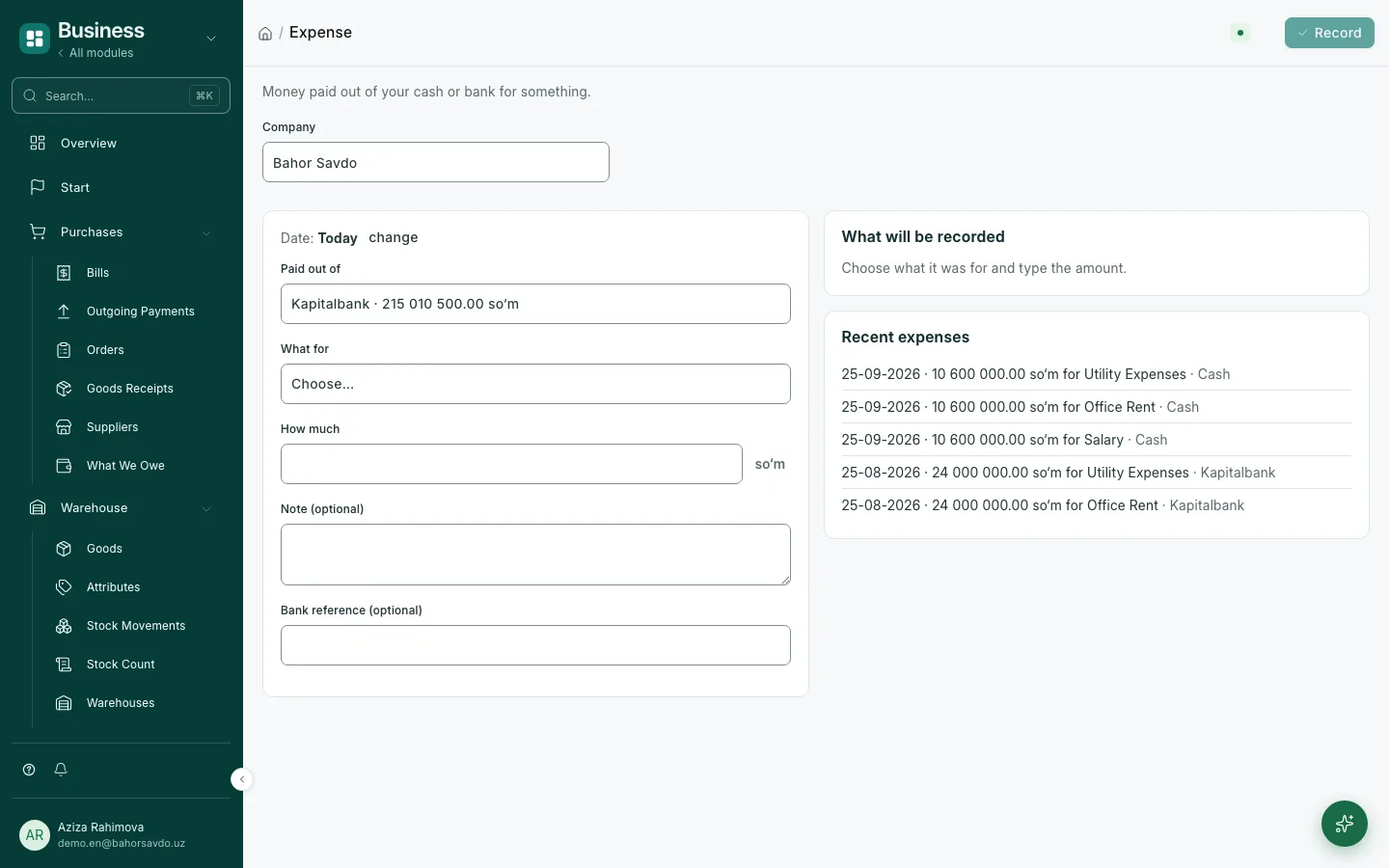
📷 receipt.jpg — fuel
Read the receipt: 450,000 sum, 1 October. Book it as a transport expense from the till?
No hunting for reports: who owes you, how much is in the till — ask a question, and AI works it out from your data and suggests the next step.
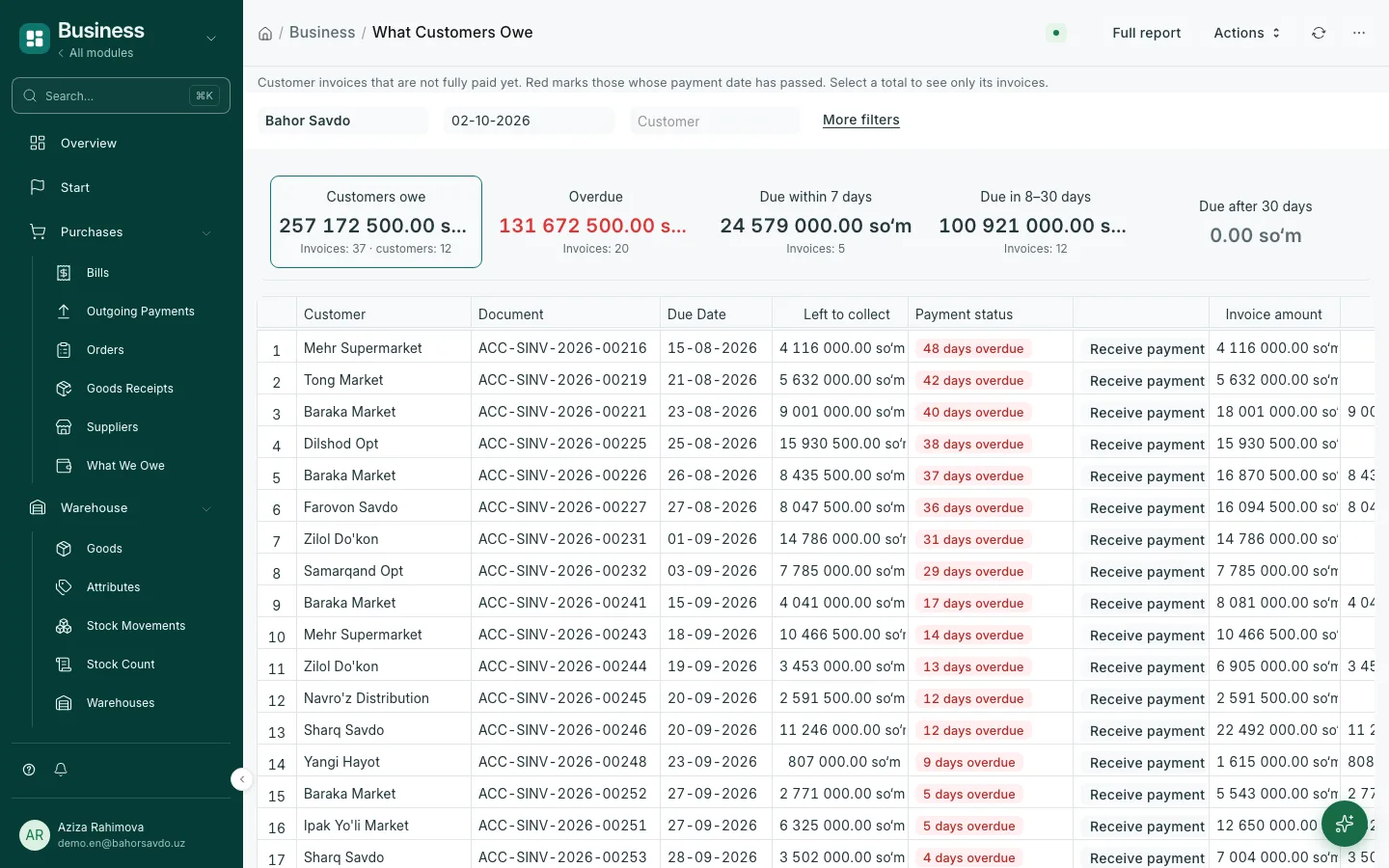
Who is paying late?
20 invoices are overdue, 131.7 million sum in total. Longest: Mehr Supermarket (48 days); largest invoice: Dilshod Opt, 15.9 million. Shall I make a call list?
Features
Sellers, storekeepers, accountants and managers share the same data.
One page for the owner: cash and bank, sales, profit, who owes you and whom you owe.
Reports without accounting jargon: customer debts, supplier debts and a "Pay" button on every row.
Order → delivery → invoice → payment. Every document has a "Next step" button, so nothing is forgotten.
A fast sales screen in Uzbek and Russian. The till is closed at the end of the day, and an open day triggers a reminder.
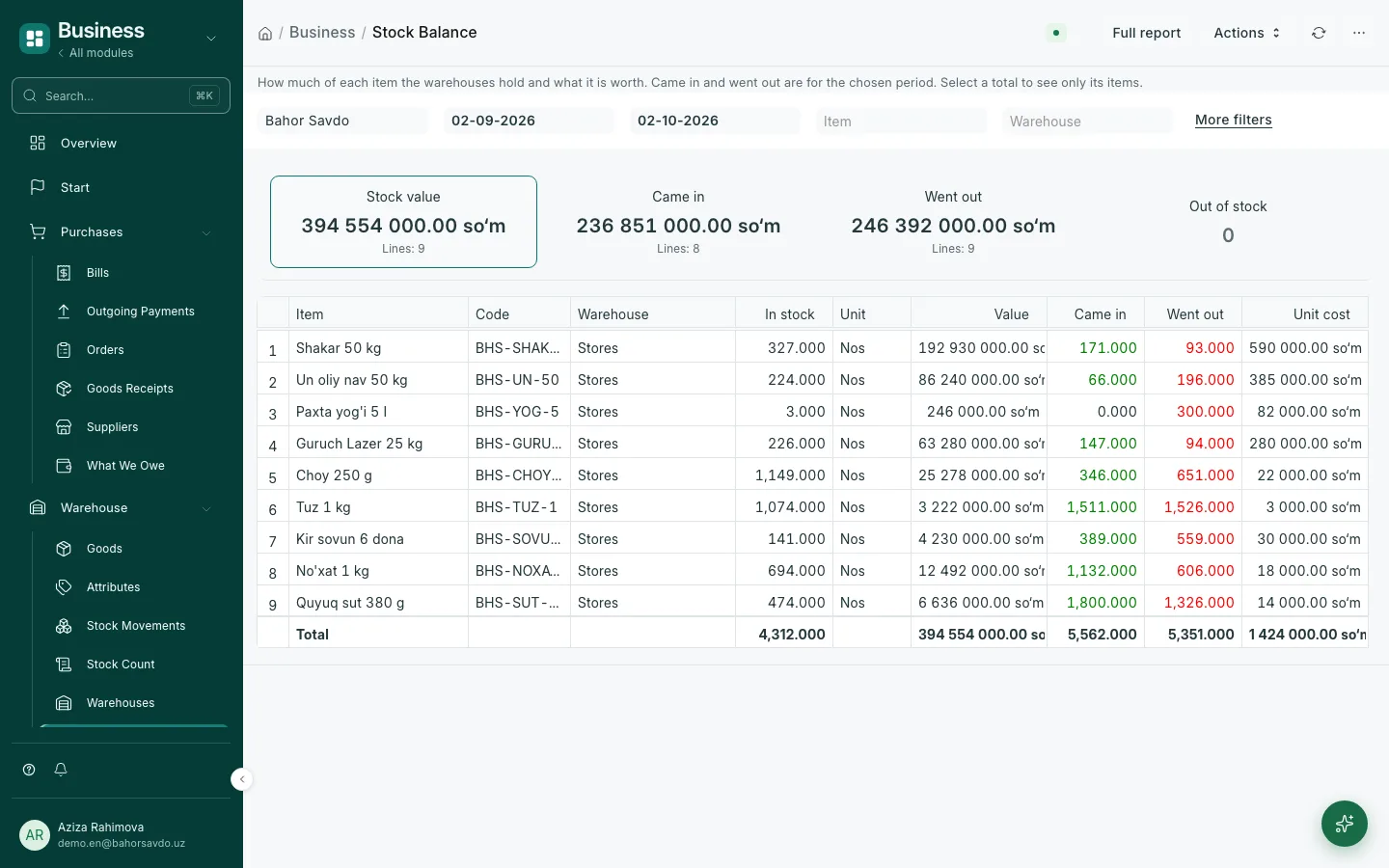
Receipts, issues and transfers update stock on their own. See how much of each item is left and what it is worth.
Till to bank, bank to till, dollars to sums — on one simple page. Fees and exchange differences are posted automatically.
Invoice, waybill and cash order in ready templates, with the amount written out in Uzbek or Russian.
Getting started
We open a separate site for you and switch on a 14-day trial.
Enter your till, bank, balances and items by chatting with Aywa AI, or send your spreadsheet.
Issue an invoice, take the payment and watch the result on the overview.
Moving your data is free — send us your spreadsheets or a 1C export.
Who it's for
Many customers, many debts, stock in several warehouses.
Till, fast sales, day closing and stock control.
Raw materials, finished goods and costing.
Invoices, payments and expense control.
The menu follows each person's role: sellers never see the chart of accounts, while the manager sees everything on one overview. To add someone, just tell Aywa AI.
Overview, profit, debts and reports.
Orders, invoices, till and customers.
Purchasing, receipts, stock and transfers.
Payments, currency and financial reports.
Add Aziz as a cashier: sales and till only, no submitting
The Cashier role and a user for Aziz are ready. Sales and till: read and create, no submitting.
Compare
Most businesses start with a notebook or Excel, then look at 1C. The main differences:
| Compare | Excel or a notebook | 1C | Aywa ERP |
|---|---|---|---|
| Getting started | Instant, but no system | Usually through a specialist, several weeks | One day, we move your data for free |
| Price | Free | Licence, setup and yearly support | Monthly subscription, 14 days free |
| Dollars and sums | You convert by hand | Depends on the setup | Central Bank rate daily, exchange differences automatic |
| Working in Uzbek | You write the text yourself | Mostly in Russian | Interface and documents in Uzbek, Russian, English |
| AI assistant | No | No | Sets up, prepares documents, reads receipts — you approve |
1C is shown as it typically is; it varies with the configuration and the partner.
Pricing
Try it free for 14 days with every feature and up to 5 users, then pick the plan that fits.
Everything a small or mid-size business needs.
≈ 113,700 sum per user
billed yearly
ChooseFor larger teams and special requirements.
≈ 172,700 sum per user
billed yearly
ChooseServer resources (storage and capacity) are billed separately.
Prices are preliminary and may change. Prepaid via Payme, Click or bank transfer.
FAQ
AI cannot delete anything. It prepares documents as drafts; submitting and cancelling happen only after you approve. You decide which actions need whose approval, by amount and role. Every action stays in the history.
Each customer gets a separate site and a separate database. Connections are encrypted (HTTPS) and backed up every day. You decide who sees what through roles.
Up to 5 during the trial. Paid plans have no user cap — the price depends on the number of users.
After 14 days you pick a plan and keep your data. Without payment the site is paused.
Not yet — these integrations are planned. For now invoices and documents are exported as PDF.
In Uzbek and Russian via Telegram, phone and e-mail. We help with setup and data migration at the start.
Get started
Send a request — we'll get in touch within one business day and open your site.